Blog
Webhook Best Practices From Building FlowDesk
Most webhook best practices come down to one uncomfortable fact: the events your automation depends on will sometimes arrive twice, late or in the wrong order. FlowDesk is our working build of an operations command center for service teams, and webhooks are how billing events, CRM changes and support updates get into it. Here's how we design that plumbing so a repeated payment event doesn't create two work items, a late update doesn't undo a newer one, and the AI triage layer never runs on half-processed data.
The AI gets the attention, the webhooks do the work
FlowDesk pulls intake, approvals, support routing, billing events and status reporting into one place. Requests enter through structured forms and integrations, then become trackable work items with an owner and SLA context. Its product direction covers CRM and billing connections, role-based queues, webhook-driven automation, notification rules and reporting models that give operators and leaders the same source of truth.
That last part is the hard one. An AI triage layer is only as good as the work items it reads, and leadership dashboards are only as honest as the events behind them. We wrote about the AI side in Designing AI Triage That Teams Can Overrule. This post is about the layer underneath: the handlers that receive events from other systems and turn them into records your team trusts.
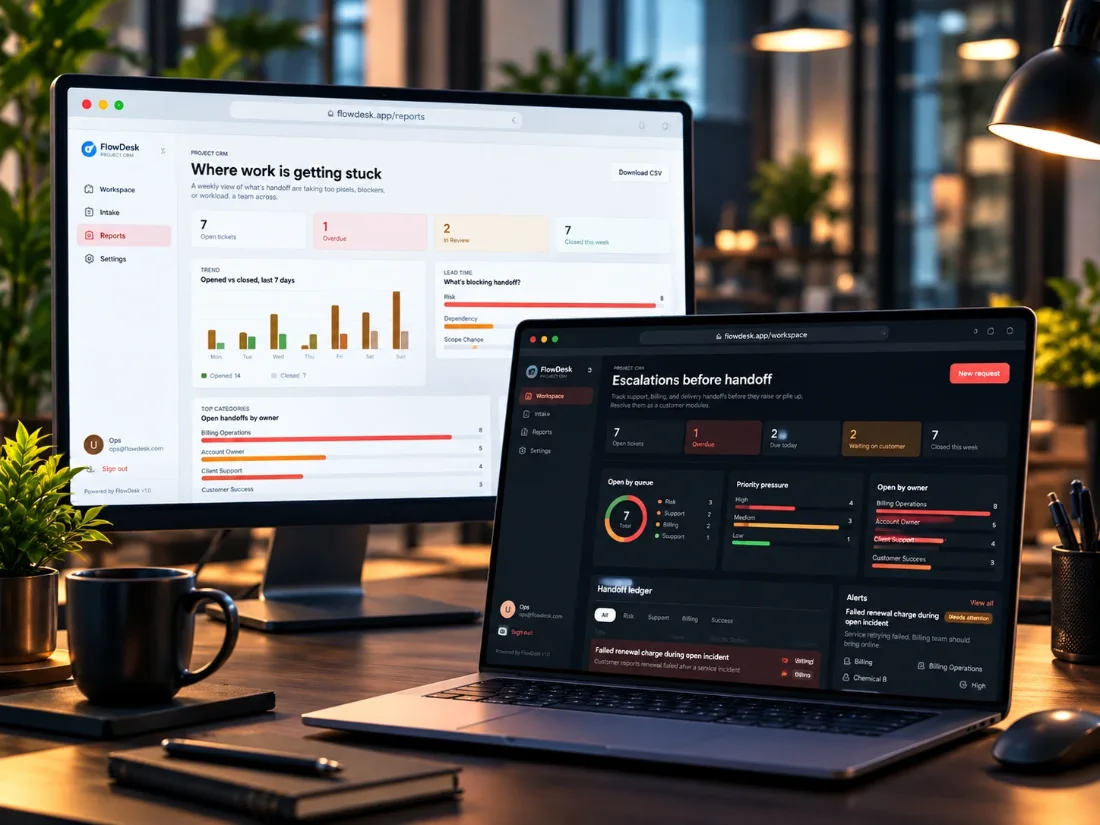
A note on what follows: FlowDesk is a working build that isn't live yet, so we're not claiming usage numbers or results. The code in this post is illustrative TypeScript that shows the pattern. It isn't copied from FlowDesk's source.
Assume every event can arrive twice
Webhook providers almost always promise at-least-once delivery, not exactly-once. If your server is slow to answer, or a network blip eats the response, the provider can't tell whether you got the event, so it sends it again. Many providers, Stripe among them, also say plainly that events can arrive out of order. And during an incident, someone on either side may replay a batch of old events on purpose.
None of that is a bug to report. It's the contract. So the first design question for any webhook-driven workflow isn't how to process an event, it's what happens when the same event is processed a second time.
In a service operations tool the answer matters a lot. A repeated "payment failed" event shouldn't open two billing work items for the same client. A repeated "ticket escalated" event shouldn't ping the on-call manager twice. And a repeated "invoice paid" event shouldn't count the same revenue twice on a leadership dashboard.
How do you handle duplicate webhooks?
Short answer: record each event's unique ID in your database with a unique constraint, in the same transaction as the work the event causes. If the insert fails because the ID already exists, you've seen this event before, so you return success and do nothing else.
Two details make the difference between a check that works and one that only works most of the time:
- Let the database enforce uniqueness. Reading "have we seen this ID?" and then writing it is a race: two copies of the same event arriving a few milliseconds apart can both pass the check. A unique index can't be raced.
- Write the event ID and the side effect together. If you record the ID, then crash before creating the work item, the retry gets skipped and the work is lost. If you create the work item, then crash before recording the ID, the retry creates a duplicate. One transaction avoids both.
// One transaction: the event ID and the work it causes are saved together.
async function recordEvent(db: Db, event: { id: string; source: string; type: string; payload: unknown }) {
  return db.transaction(async (tx) => {
    const inserted = await tx.query(
      `INSERT INTO webhook_events (source, event_id, type, payload, status)
       VALUES ($1, $2, $3, $4, 'received')
       ON CONFLICT (source, event_id) DO NOTHING
       RETURNING id`,
      [event.source, event.id, event.type, event.payload],
    );
    if (inserted.rowCount === 0) return { duplicate: true }; // seen before: nothing to do

    await tx.query("INSERT INTO jobs (webhook_event_id) VALUES ($1)", [inserted.rows[0].id]);
    return { duplicate: false };
  });
}The key includes the source as well as the ID, because two different systems can happily use the same ID format. If a provider doesn't send a stable event ID at all, build one from fields that identify the change, such as the object ID plus its version or updated-at time, and write down that it's a fallback.
Verify, store, answer, then do the work
A webhook handler has one job while the provider is waiting: decide whether the event is genuine, save it, and answer quickly. Everything else can happen a moment later. In FlowDesk's design the handler does four things and nothing more:
- Check the signature against the raw request body, using the secret the provider gave you. An unsigned or badly signed request is rejected before anything is stored.
- Save the event and a job to process it, using the duplicate check above.
- Return a 2xx response straight away.
- Leave routing, notifications, dashboard updates and AI triage to a worker that picks up the job.
This shape solves several problems at once. A slow downstream step, such as a CRM lookup or a model call, can no longer make the provider time out and resend. A bug in the processing code doesn't lose events, because they're already saved and the job can be retried after the fix. And the handler stays small enough to review properly, which matters for code that accepts requests from the internet.
It also puts a clear line between "we received it" and "we acted on it". Each saved event carries a status, so an operator can see which events are waiting, which were processed and which failed, instead of guessing from logs.
Don't let an old event overwrite a newer one
Duplicates are the easy half. Ordering is harder, because deduplication doesn't help with it at all. Imagine a client's subscription goes from active to past due and back to active within a minute. If the "past due" event is delayed and arrives last, a naive handler marks a paying client as overdue and opens a billing work item nobody needs.
There are two reliable ways to deal with this, and which one fits depends on what the provider sends:
- Compare versions. If events carry a version number or an updated-at time for the object, only apply a change when it's newer than what you've stored. Older events get recorded but don't change state.
- Re-read the source. For billing and CRM data, treat the webhook as a nudge that something changed, then fetch the object's current state from the provider's API. Whatever order the nudges arrive in, you end up with the latest truth.
// Apply a change only if it's newer than what we already hold.
async function applyStatus(tx: Tx, clientId: string, status: string, changedAt: Date) {
  const result = await tx.query(
    `UPDATE client_billing
       SET status = $2, status_changed_at = $3
     WHERE client_id = $1 AND status_changed_at < $3`,
    [clientId, status, changedAt],
  );
  return result.rowCount === 1; // false: a newer change is already stored
}Re-reading costs an API call per event, so we'd use it where being wrong is expensive, such as billing state, and version comparison where events already carry what you need.
Keep the AI out of the webhook handler
FlowDesk's AI layer reads intake context, support notes and client history to recommend routing, draft summaries and flag work at risk. It's tempting to call the model straight from the handler as soon as a new request arrives. We wouldn't, for three reasons.
- Model calls are slow and sometimes fail. Inside the handler, that turns into provider timeouts, retries and more duplicates.
- A retried job shouldn't route the same request twice. Triage runs once per work item, and its suggestion is stored on that item. If the job runs again, it finds the stored suggestion and stops.
- The model should read your records, not the raw payload. By the time triage runs, the event has been deduplicated, ordered and turned into a work item with CRM context, so the model sees the same facts a person would.
The same separation keeps the AI's output checkable. Triage suggestions are compared with known departments, workflow types and the client on the CRM record, and anything that doesn't match goes to a person. We covered where to draw that line in our post on human-in-the-loop handoffs.
Notify on changes, not on events
FlowDesk's Slack and email alerts cover blockers, overdue work and handoff changes. If those alerts were wired straight to incoming events, every duplicate and every replay would become another ping, and a busy channel soon gets muted.
So alerts fire from state changes instead. A work item moving from "on track" to "blocked" sends one message, however many events contributed to the change. A replayed event that changes nothing sends nothing. It's the same rule that keeps dashboards honest: throughput, bottlenecks and revenue events are reported from final, deduplicated records, not from the raw event stream.
Make replay a normal operation
Because every event is saved with its payload and status, recovering from an outage or a bug is routine rather than frightening. Fix the processing code, then re-queue the failed events. The duplicate check and the version comparison mean replaying an event that already succeeded is harmless.
A few habits make this work in practice:
- Retry failed jobs with a growing delay and a limit, then move them to a visible failed state for a person to look at, rather than retrying forever.
- Keep a simple reconciliation job that compares your records with the provider's API on a schedule. Webhooks are fast, but they aren't a guarantee, and a nightly check catches the event that never arrived.
- Store enough to explain any work item: which event created it, which events changed it, and who acted on it. That's the audit trail behind FlowDesk's approvals.
If you build automations in a visual tool rather than in code, the same rules apply. Our n8n automation page covers how we add error workflows, retries and failure alerts there.
Webhook best practices: the checklist
Webhooks are the least visible part of an AI automation, and the part most likely to cause quiet, expensive errors. Before trusting a webhook-driven workflow, we'd want a yes to each of these:
- Is every request's signature checked against the raw body before anything is stored?
- Is each event's ID saved under a unique constraint, in the same transaction as the work it causes?
- Does the handler answer within a second or two and leave the real work to a job?
- Can an old event arrive late without overwriting newer state?
- Does AI triage run on stored work items, once per item, rather than inside the handler?
- Do alerts and dashboards come from state changes and final records, not raw events?
- Can you replay failed events safely, and does a scheduled check catch the ones that never arrived?
The stack for this build is Next.js, NestJS, PostgreSQL, OpenAI, Slack and Stripe. None of the patterns above depend on those choices.
Read more about the build in our FlowDesk case study, or see how we connect systems for clients on our AI automation page. If your team's tools disagree about what happened, get in touch.